How to unsubscribe if you subscribed to an annual subscription on our website:
1- Log in on our web site:
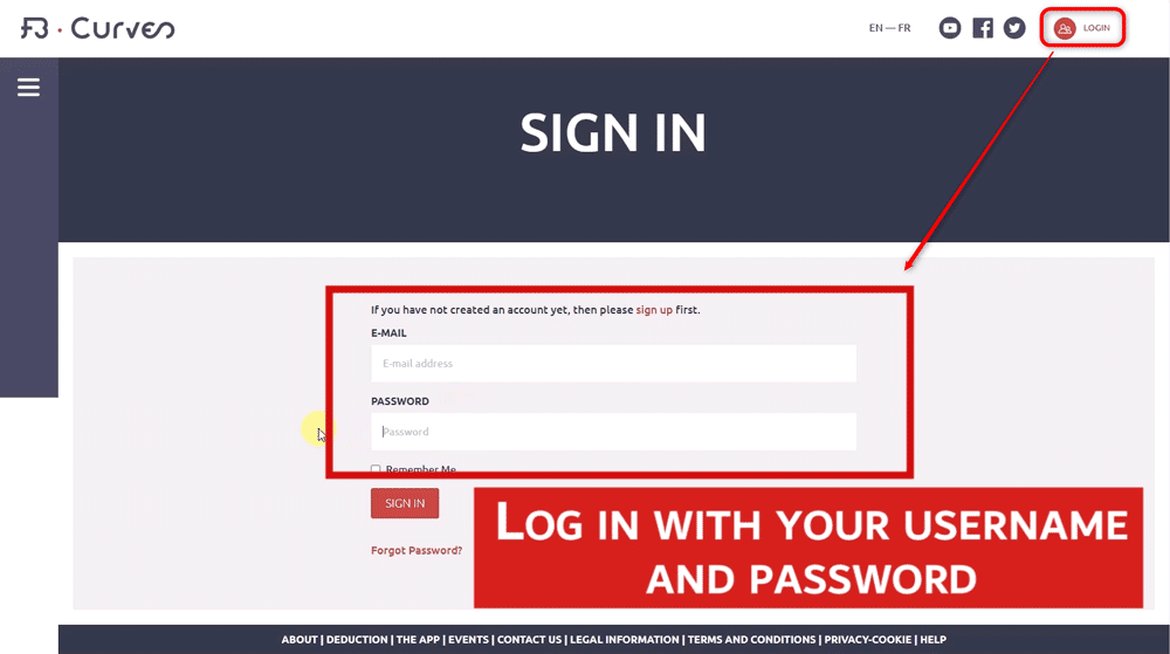
2- Go to the page Trampoline App in main menu:
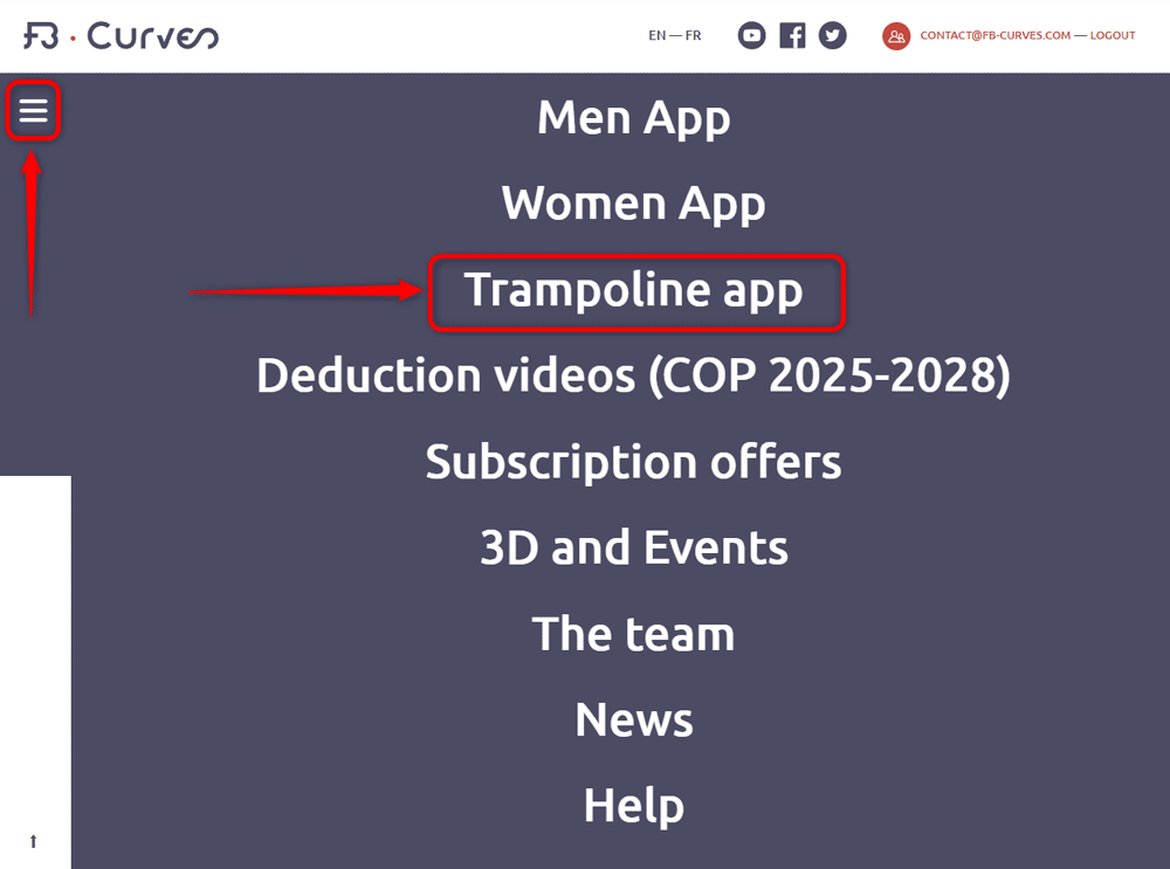
3- Click "Manage my subscription":

4- Click "Suspend Subscription":

You will continue to benefit from your subscription until its renewal date. After that, it will end and will not be renewed.
FB Curves offers a monthly or yearly subscription designed to give users full control and maximum flexibility, allowing you to manage your subscription according to your needs.
FB Curves does not have access to your personal Google Play or Apple App Store accounts. All subscription management, including cancellation, is handled directly through your own account. Please refer to the links below for instructions on how to unsubscribe:
Unsubscribe with an account on Google
unsubsribe with an account on Itunes