App Feature Tutorials
TUTORIAL: 3D SPACE
Learn how to use the 3D space to maximise your learning experience by visualising and analysing every element in detail.
Feature Overview:
-
Full 360° rotation
-
Zoom functionality for close-up analysis
-
Adjustable playback speed
-
Symbols, definitions, and detailed element information
TUTORIAL: CAMERA TRACKING
By default, the camera automatically follows the gymnast to ensure optimal visibility, even during large movements.
However, this constant motion may be uncomfortable for some users.
You can easily disable camera tracking to get a more stable view and better control your observation.
TUTORIAL: GALLERY & FILTERS
Select your apparatus (please allow a few seconds for the full Code of Points element images to load), then use the filter menus to easily and efficiently search through the entire code to find the elements you need.
Filters designed to speed up your search include:
-
Filter by element group
-
Filter by difficulty value
-
Filter by forward or backward rotation and twists
TUTORIAL: quiz
The Quiz feature lets you test and develop your knowledge of element groups and difficulty values through an interactive learning experience. Each quiz is newly generated every time, ensuring a fresh and challenging test on every attempt.
Available quiz modes include:
- 3D Elements Quiz – explore each element in full 3D, with all user features available to help analyse movements when needed
- Symbols Quiz – test your understanding of official symbols and notation
Want to measure your knowledge against others?
Join online competitions, compare your results, and challenge judges and gymnastics enthusiasts from around the world.
Learn, play, progress — and climb the rankings!
TUTORIAL: ATHLETE PROFILE CREATION
Create your own profile as an athlete, or manage multiple athlete profiles if you are a coach. The Athlete Profile centralises all key information related to training and long-term development.
With the Athlete Profile, you can:
- Organise competitions, training sessions, and athlete data in one place
- Track athletic progression over time
- Combine performance analysis with mental and physical monitoring
- Access a clear, structured overview of each athlete’s development journey
Problem for create an athlete?TUTORIAL: EVENT CREATION
Events allow you to group competitions and tests in one place, making it easy to track results and performance data.
With Events, you can:
-
Create an event profile for a competition or test
-
Enter essential details such as name, location, and date
-
Assign one or more athletes to each event
Each event then centralises all results and performance data for the associated athletes, providing a clear overview of outcomes and progress.
TUTORIAL: ADD SCORES
This feature allows you to record and track each athlete’s results across different events.
With this tool, you can:
-
Enter final scores and/or difficulty scores for each apparatus
-
Automatically calculate total scores
Athletes can then review all their results throughout the season and analyse their progression over time.
Problem for add scores?TUTORIAL: MENTAL & PHYSICAL MONITORING
After each training session, this feature allows you to record your own or an athlete’s mental and physical state.
It helps you better understand how training impacts performance, motivation, and recovery. By monitoring this data regularly, training can be adjusted more effectively over time to support long-term development and well-being.
TUTORIAL: SCORE STATISTICS
This feature allows you to visualise the progression of your own or an athlete’s results using clear charts, both in competition and during tests.
With this tool, you can:
-
Track changes in total score, including difficulty and final scores
-
Analyse apparatus-specific performance over time
-
Compare results achieved in competition with those from training tests
These comparisons help identify the influence of key factors such as pressure, mental state, and preparation, allowing training programmes to be adjusted more effectively.
TUTORIAL: MENTAL & PHYSICAL ANALYSIS
All data recorded after each training session is automatically transformed into charts, allowing you to clearly visualise progression over time.
These statistics help identify relationships between training load, mental state, fatigue, and recovery. By cross-analysing these trends, coaches can fine-tune training programmes, detect early signs of fatigue or vulnerability, and optimise performance while safeguarding the athlete’s physical and mental well-being.
tutorial: PHYSICAL PAIN TRACKING
Track the evolution of your physical pain throughout the season.
Easily locate affected areas and assess the intensity of each pain using a dedicated tool.
This feature helps coaches quickly identify potential issues and adapt training programs to protect athletes’ health.
Cross-analyze all your physical data to better understand your condition, optimize your training, and improve performance.
TUTORIAL: DIFFICULTY SCORE CALCULATOR
This calculator enables you to quickly and accurately determine the difficulty score (D-score).
Key benefits include:
-
Instant D-score calculation
-
Reduced risk of calculation errors
-
Significant time savings during routine preparation and performance analysis
TUTORIAL: YOUR PROGRESSION
Visualise your progress and track your development with a simple and engaging diagram.
Mark the elements you’ve already mastered and those you’re currently learning to instantly see:
-
The percentage of mastered elements
-
The percentage of elements in progress
Each newly mastered skill moves you closer to the next level. Keep progressing, challenge yourself, and unlock new goals!
tutorial: USING THE APP ON DESKTOP
This video demonstrates the main actions to navigate the app using your mouse:
-> Browse the gallery
-> Navigate in 3D space
-> Zoom in and out
-> Enable full screen mode
TUTORIAL: SELECT YOUR AVATAR
Create your own avatar and personalise it with your favourite leotard!
Choose from short or long sleeves, a variety of designs, colours, and sparkling details — there’s a look for everyone.
But watch out…
To unlock new avatars, you’ll need to rise to the challenge and achieve 100% success in the Quiz 🏆
Play, learn, progress — and unlock your ultimate avatar!
TUTORIAL: YOUR FAVOuRITES
With more than 875 available elements, being able to quickly find the ones you use most is essential.
The Favourites feature allows you to:
-
Save your most-used elements
-
Access key elements instantly
-
Save time when preparing training sessions or analysing routines
A simple and efficient tool designed to help you focus on what matters most at any given moment.
TUTORIAL: SEARCH ENGINE
Quickly access elements that have an official name or an official FIG Code number.
The search engine allows you to:
-
Find elements by their official name (when available)
-
Search directly using the official FIG Code number
A complementary tool designed to save time and make it easier to access clearly identified elements.
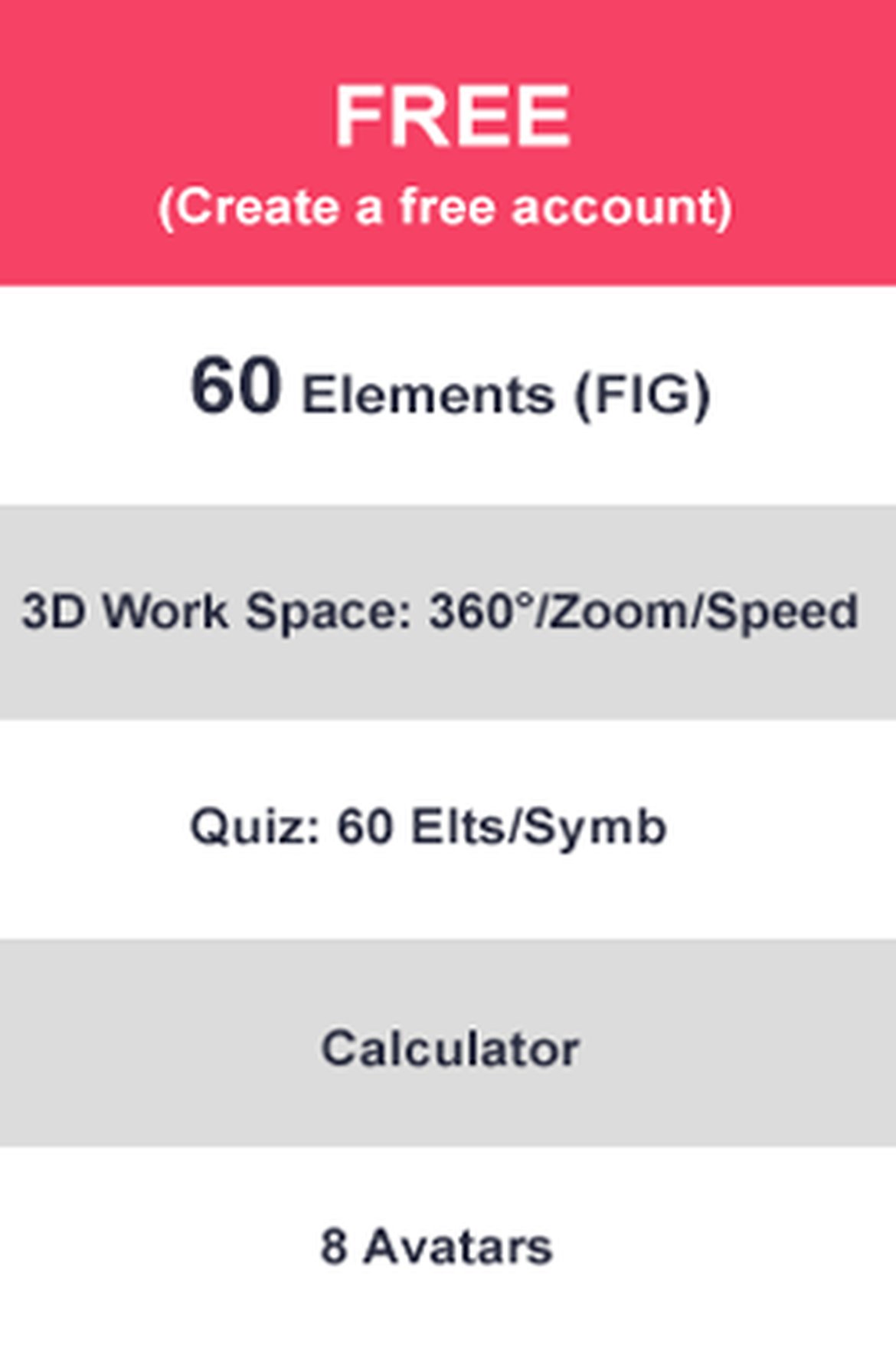
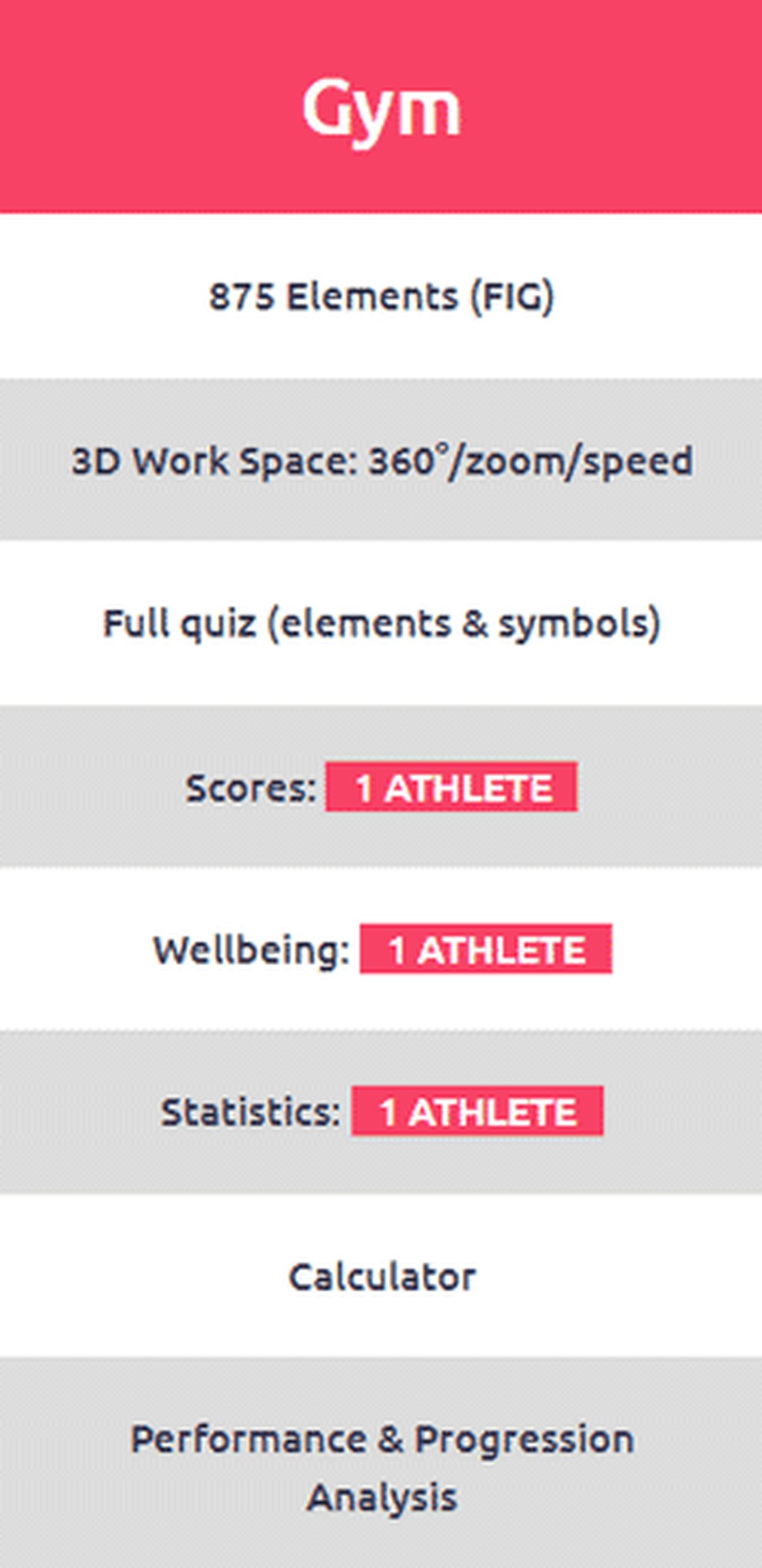
subcriptions 3d gym women app
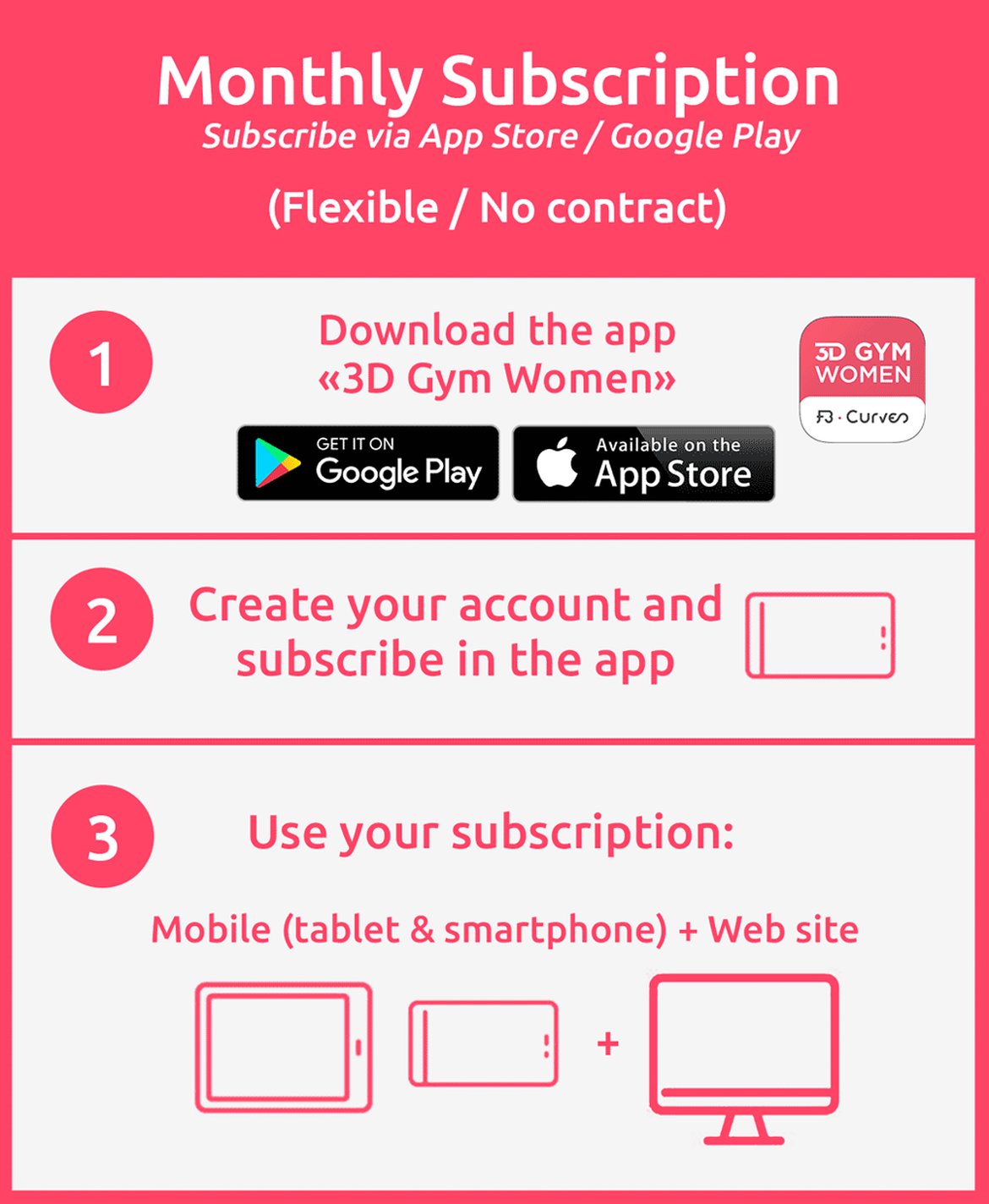
Try the app on any smart device, subscribe instantly to use them smartphone and/or tablet:
Your subscription will automatically renew after one year. You will receive an email one month before the renewal date to notify you if you wish to cancel your subscription.
A WEB VERSION OF 3D GYM WOMEN IS COMING SOON & WILL BE INCLUDED IN ALL APP SUBSCRIPTIONS
In App Purchase (Google/Apple)
4.99 €/Month
WEB SITE SPECIAL
Discounted prices on web site purchases.
Use on smartphone or tablet.
48 €/year
52$-42£/year
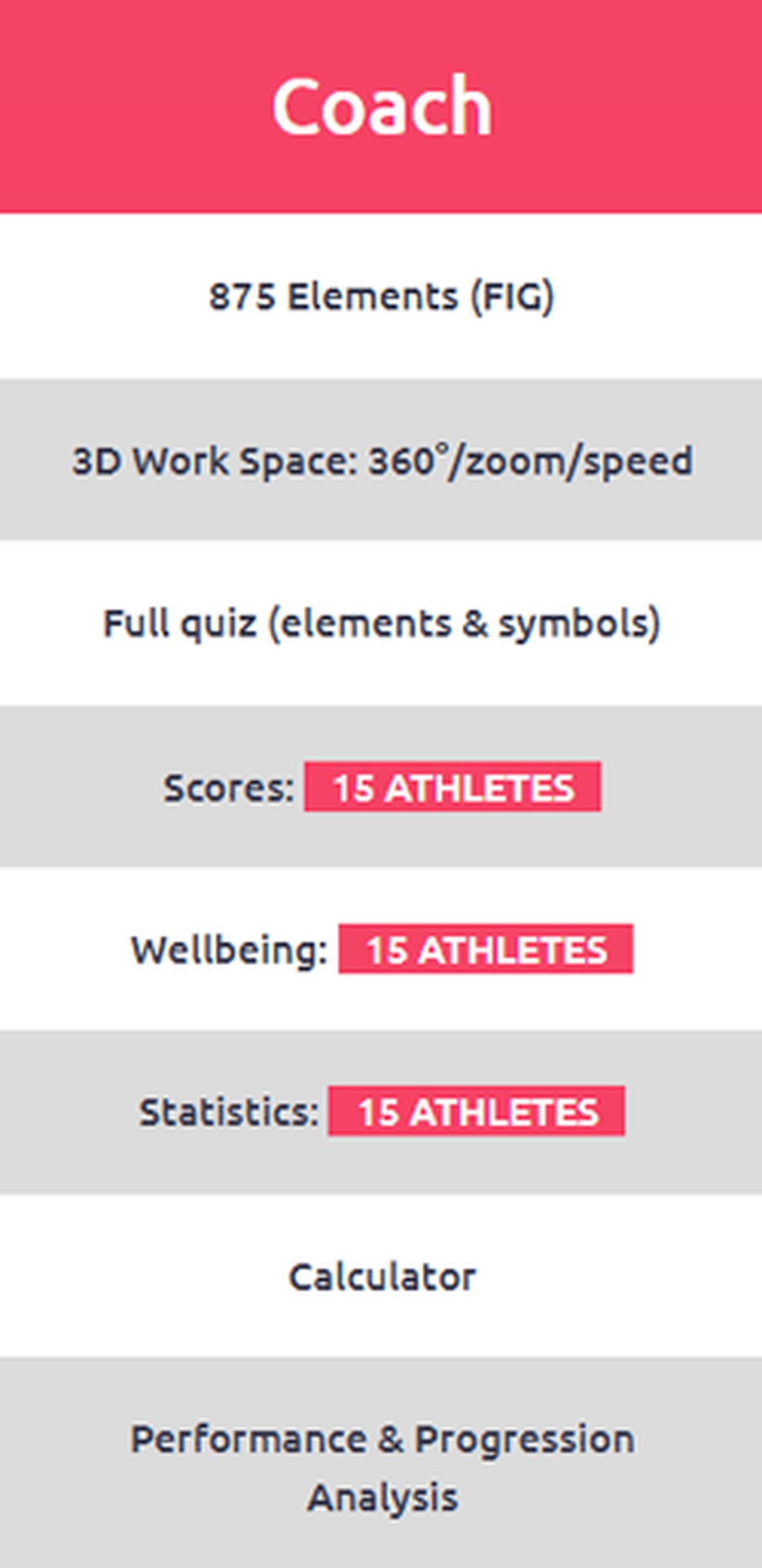
In App Purchase (Google/Apple)
12.99 €/Month
WEB SITE SPECIAL
Discounted prices on web site purchases.
Use on smartphone or tablet.
144 €/year
155$-110£/year
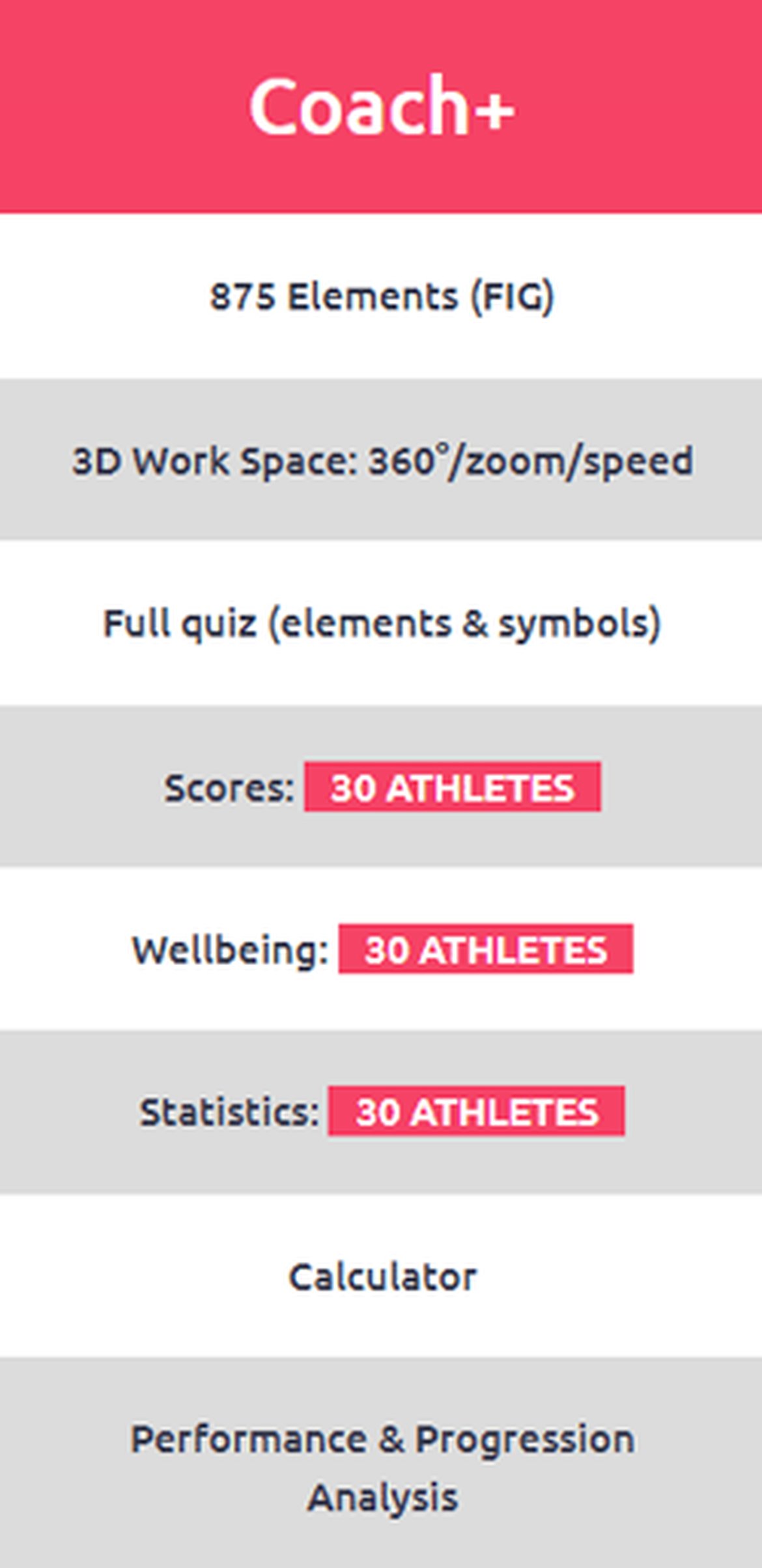
In App Purchase (Google/Apple)
19.99 €/Month
WEB SITE SPECIAL
Discounted prices on web site purchases.
Use on smartphone or tablet.
216 €/year
240$-188£/year
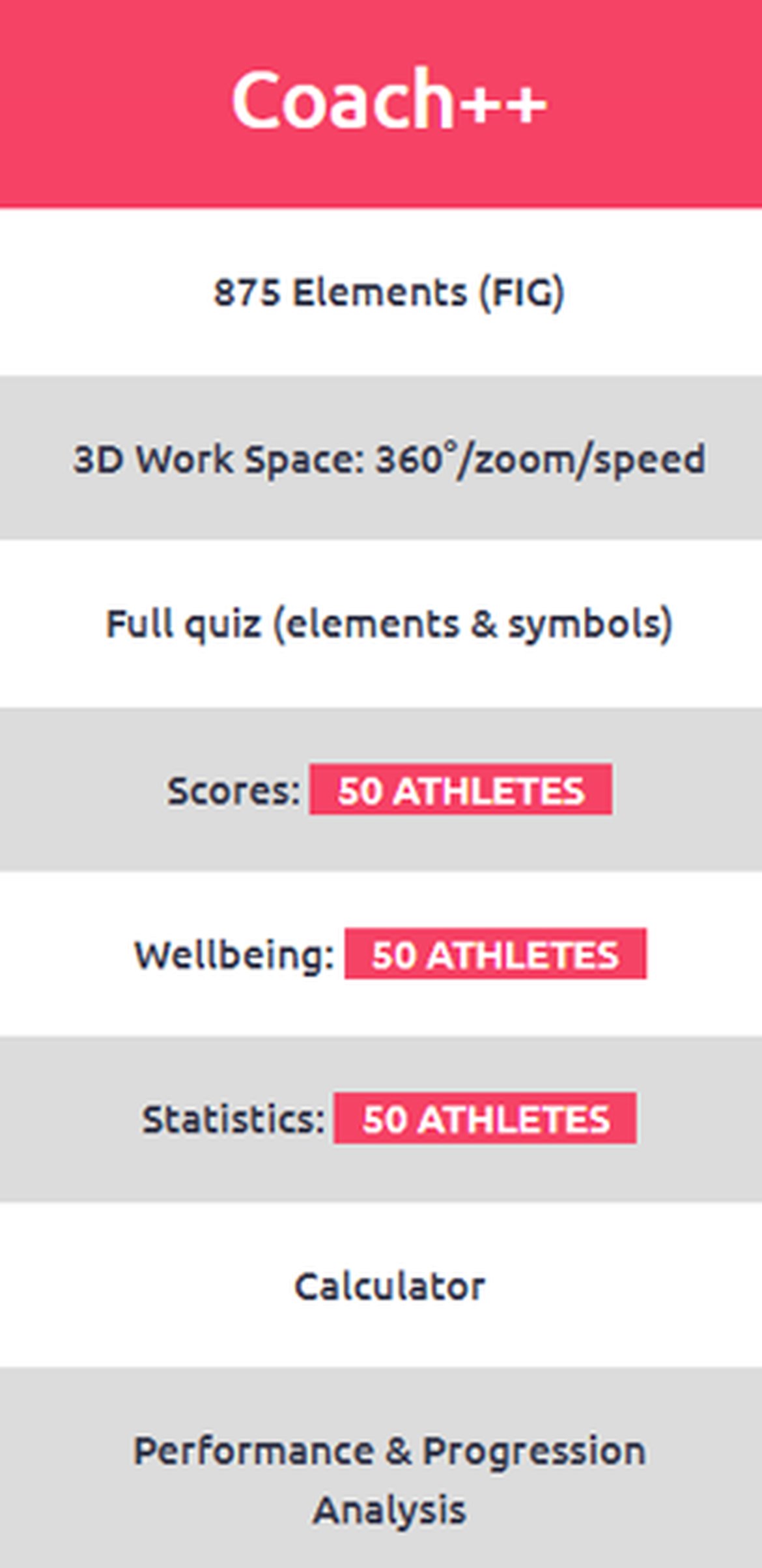
In App Purchase (Google/Apple)
29.99 €/Month
WEB SITE SPECIAL
Discounted prices on web site purchases.
Use on smartphone or tablet.
327 €/year
348$-284£/year