Change your password on the web site (it will also change it on the app):
1Go to our web site www.fb-curves.com
2- Log in with your log in details for the "application" on the web site


3- In your profile, click on "Change my password"

4- Fill in all fields and save

5- Your password is now changed on al devices (site/app)

Change your password via the app (this will also change it on the web site):
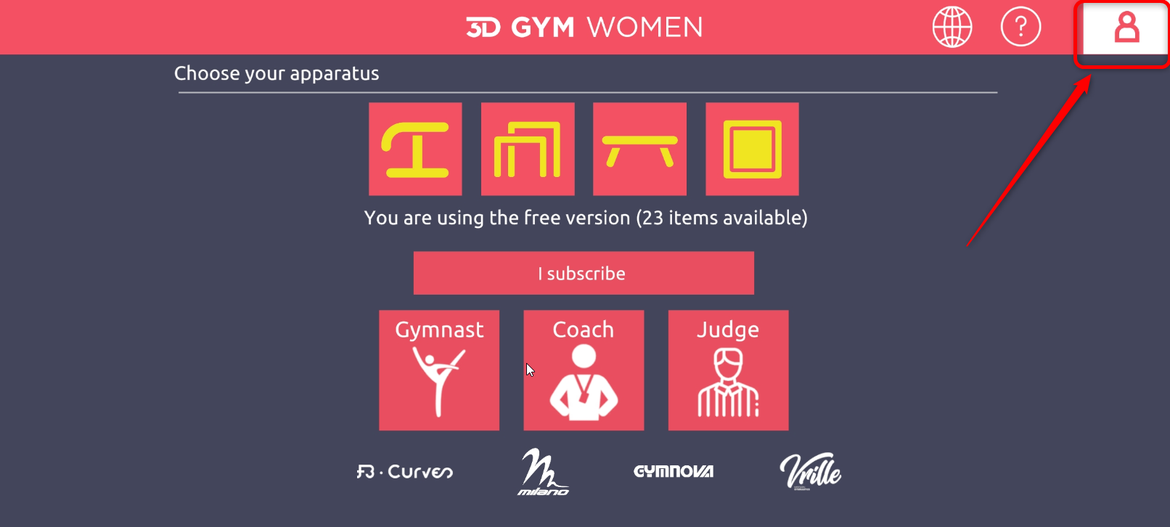
1- Click on thebutton "Profile":
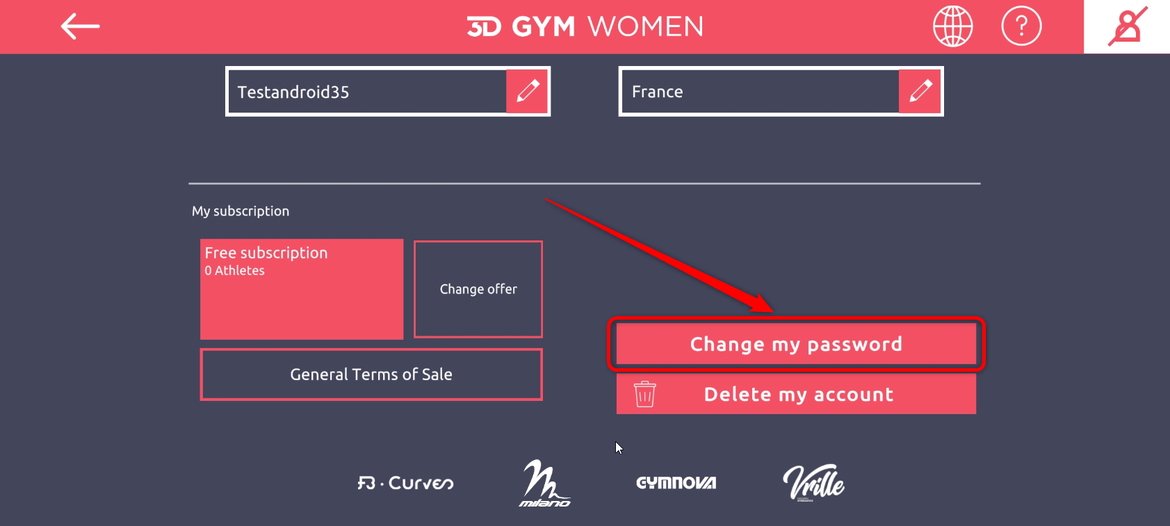
2- Click on "Change my password":
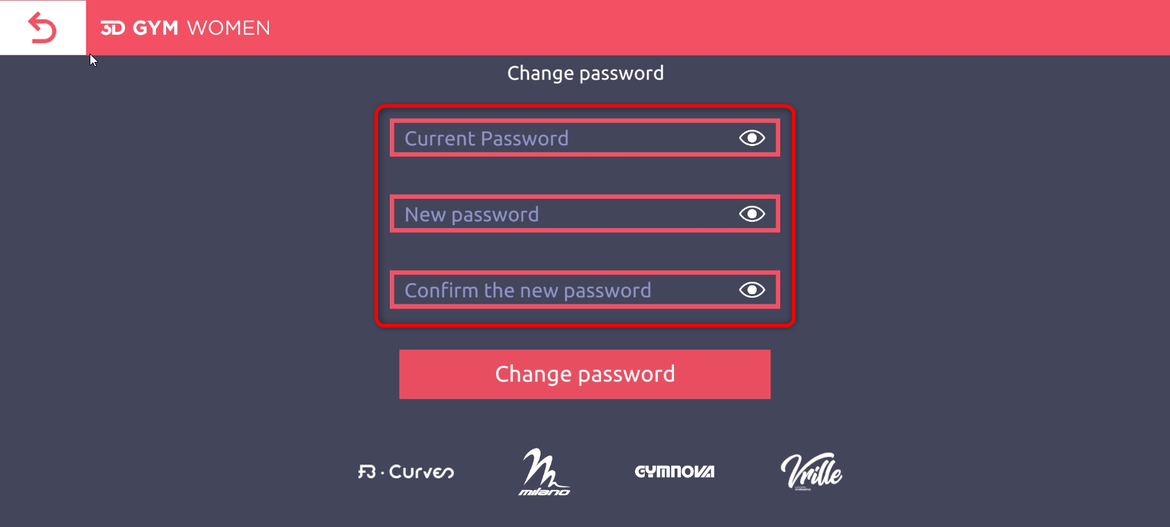
3- Change your password and click "Change my password":
4- Your password is changed on all devices (site/app)
