How to upgrade your subscription if you subscribed on our website:
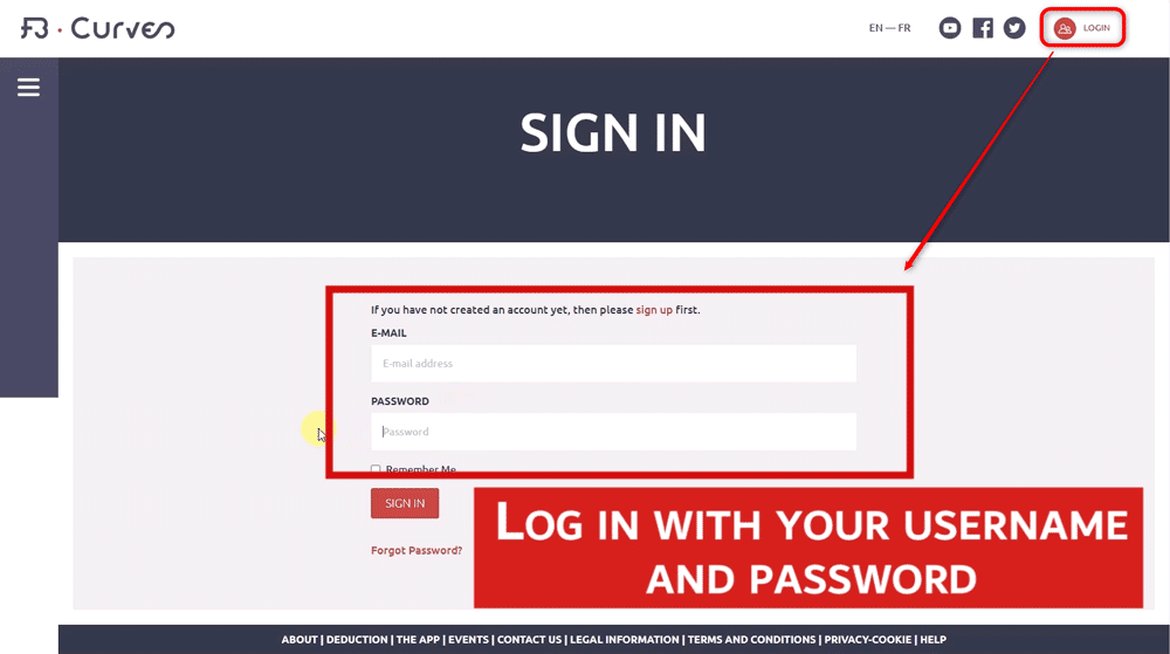
1- Log in with your log in details on our site:
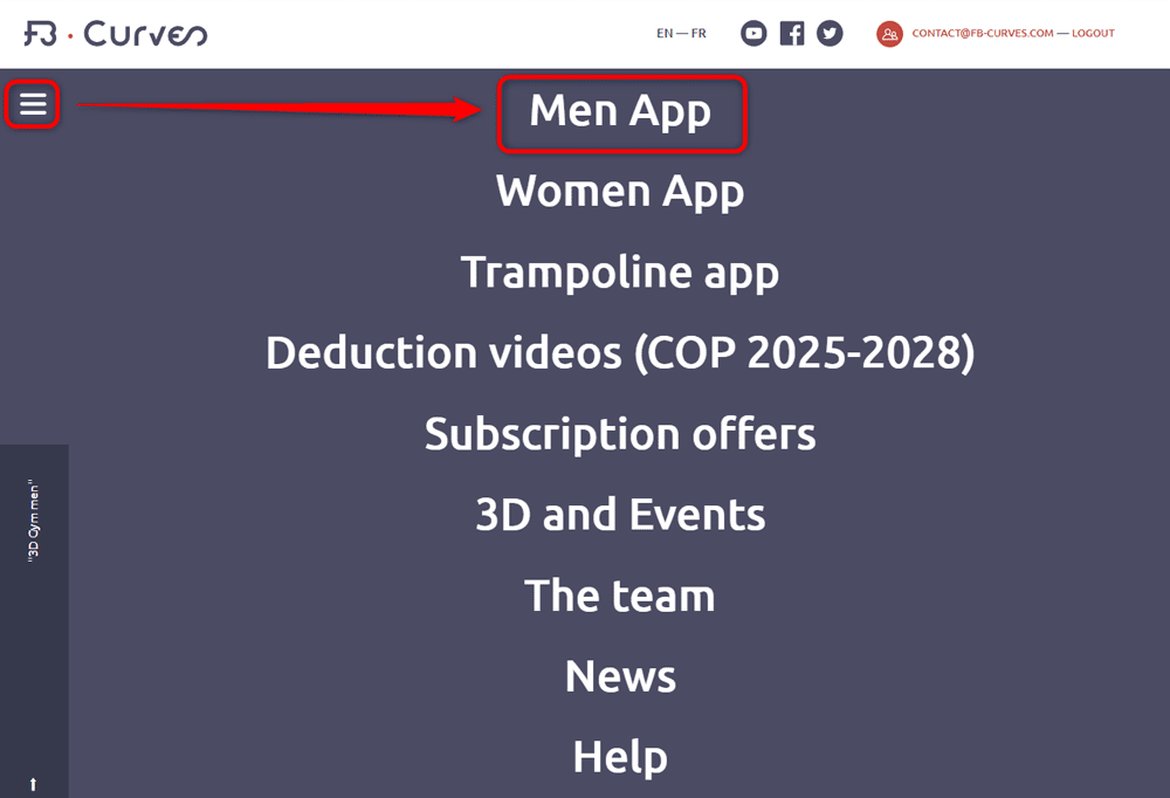
2- Go to the Men App page in the main menu:
3- Click the button"Manage my subscription":
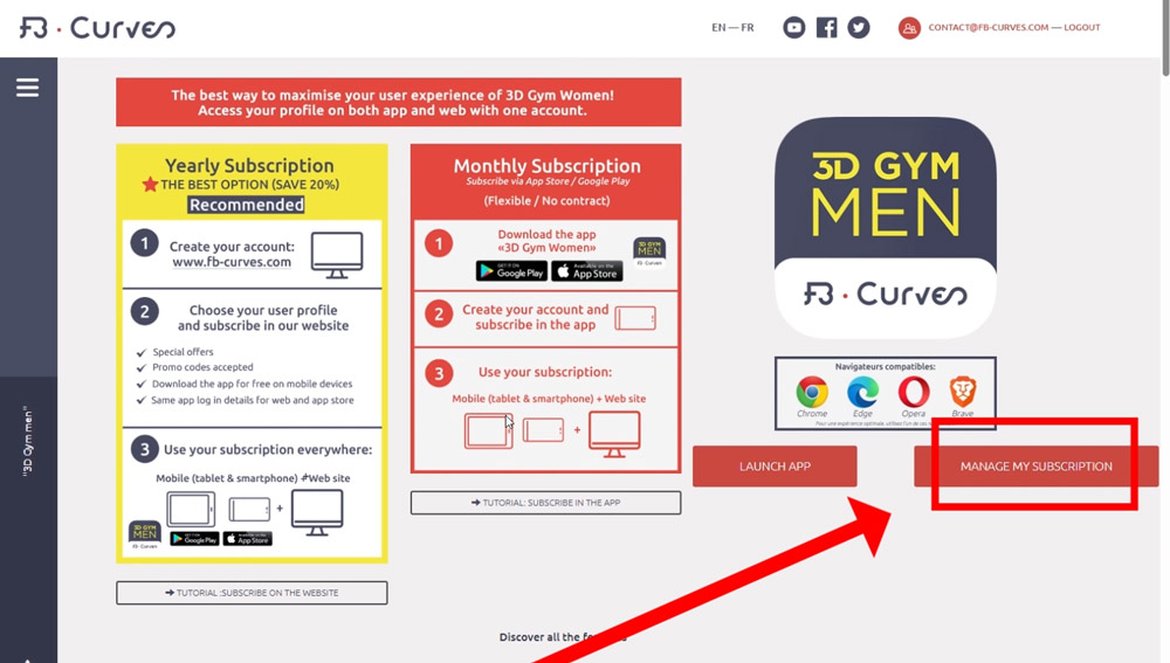
3- Then click the “Manage my subscription” button and select the higher subscription plan.
IN CASE OF A SUBSCRIPTION CHANGE, STRIPE AUTOMATICALLY ADJUSTS THE PRICE. THE AMOUNT ALREADY PAID IS DEDUCTED, SO YOU WILL NEVER BE CHARGED TWICE FOR THE SAME PERIOD.
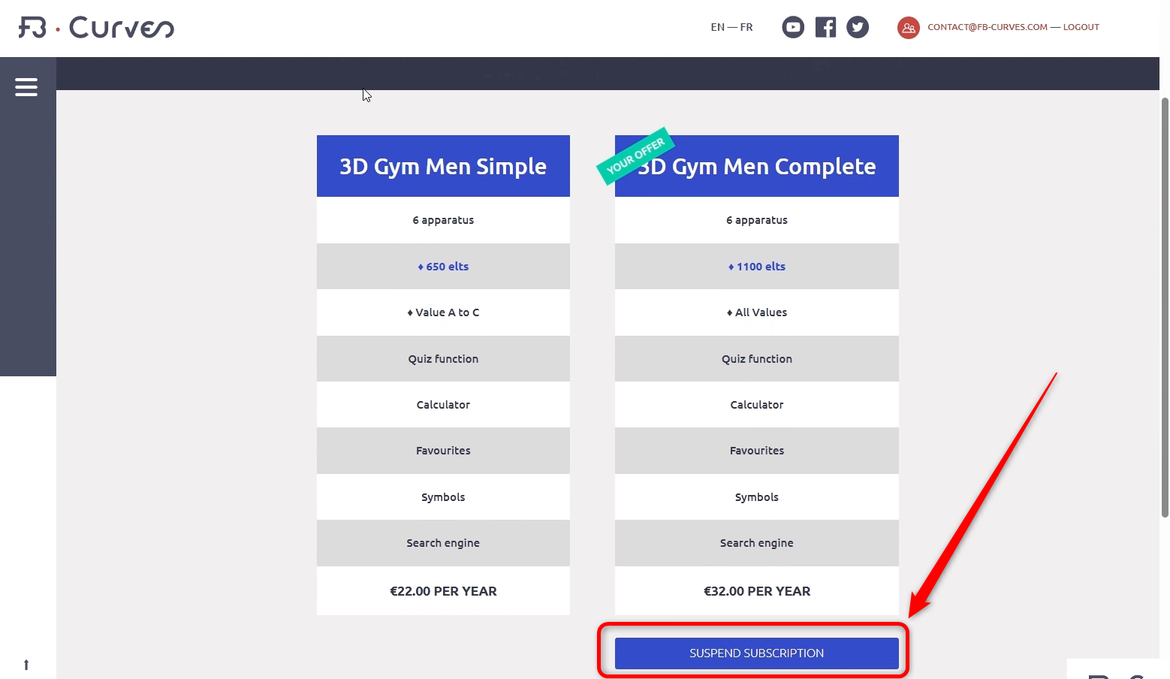
IF YOU WISH TO SWITCH TO A LOWER SUBSCRIPTION (e.g., from “COMPLETE” to “SIMPLE”):
1 – Unsubscribe on our website.
2 – Subscribe to a lower plan on our website.
You will keep access to your current subscription until the renewal date, after which your account will switch to the lower subscription plan.
How to upgrade your plan if you subscribed to a monthly subscription in the application (Google Play / Apple App Store):