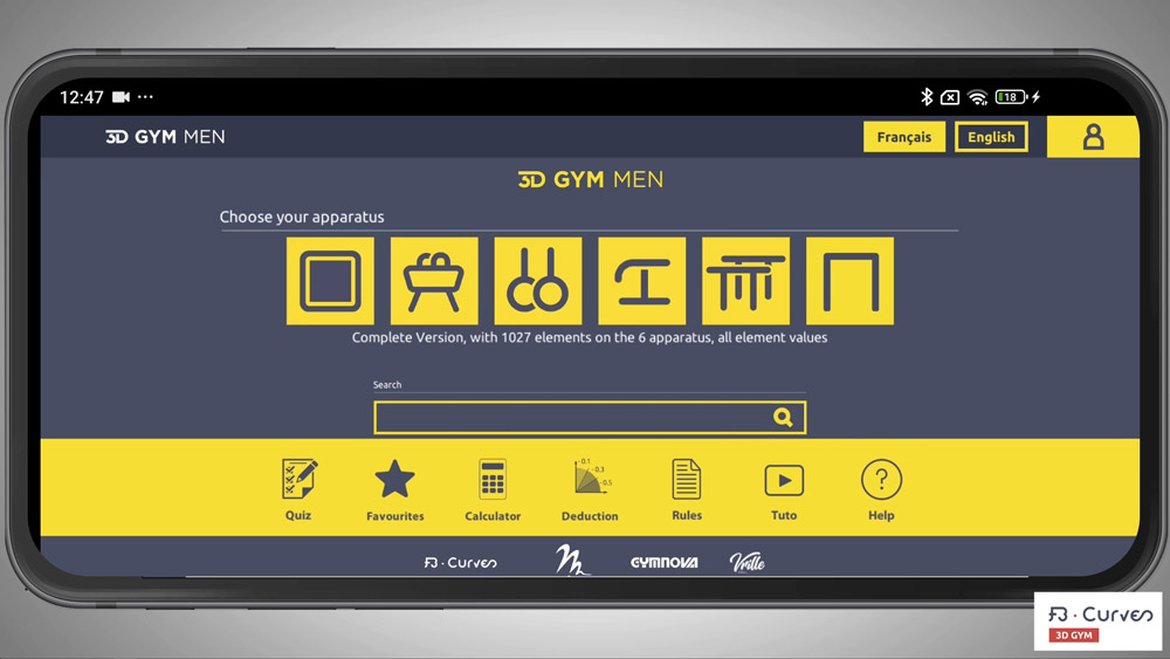
VIDEO: SUBSRIBE ON THE WEB SITE AND USE THE APPLICATION ON ALL DEVICES
How to subscribe on our site:
1- Go to our site www.fb-curves.com click "Log In"
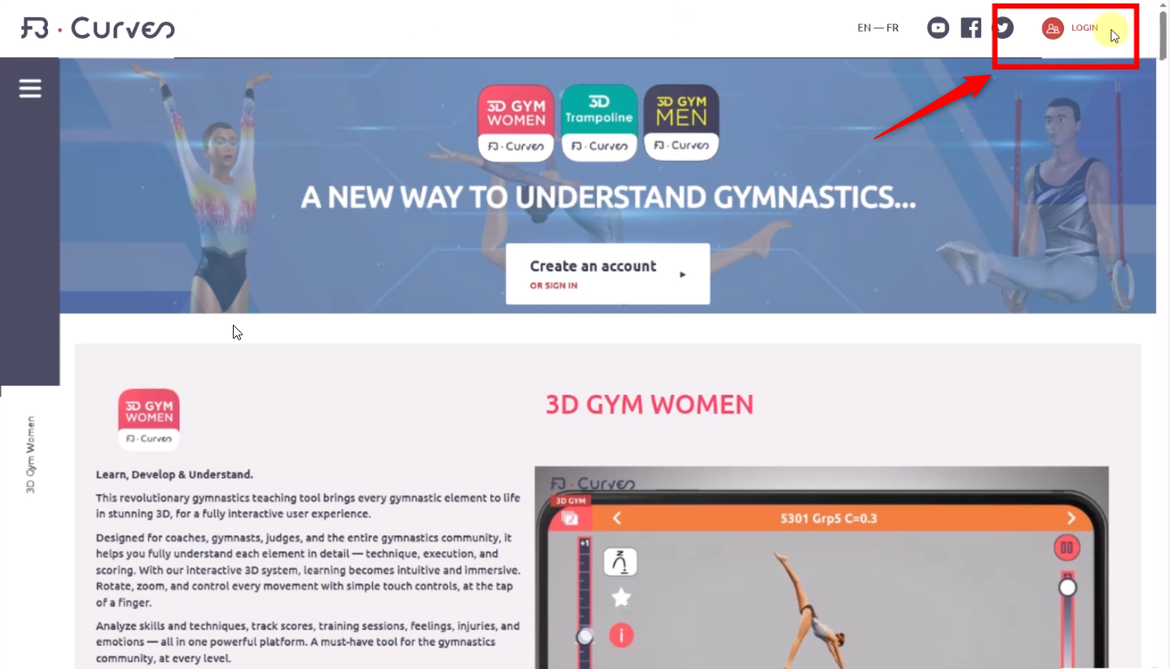
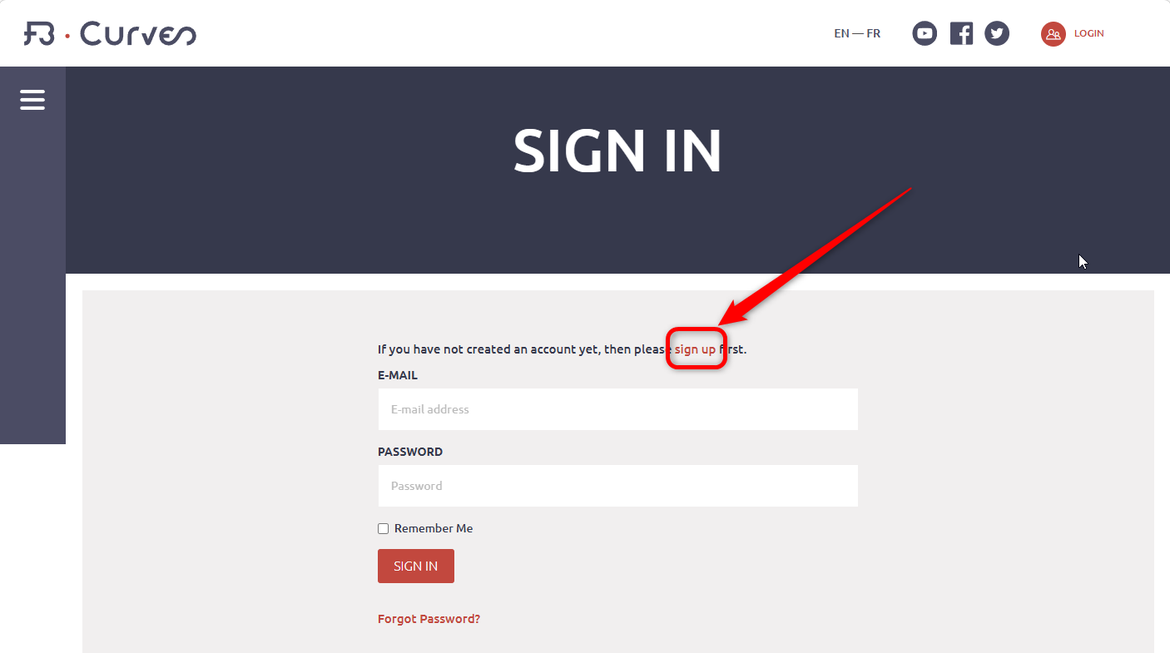
2- If you dont have an account, create one here:
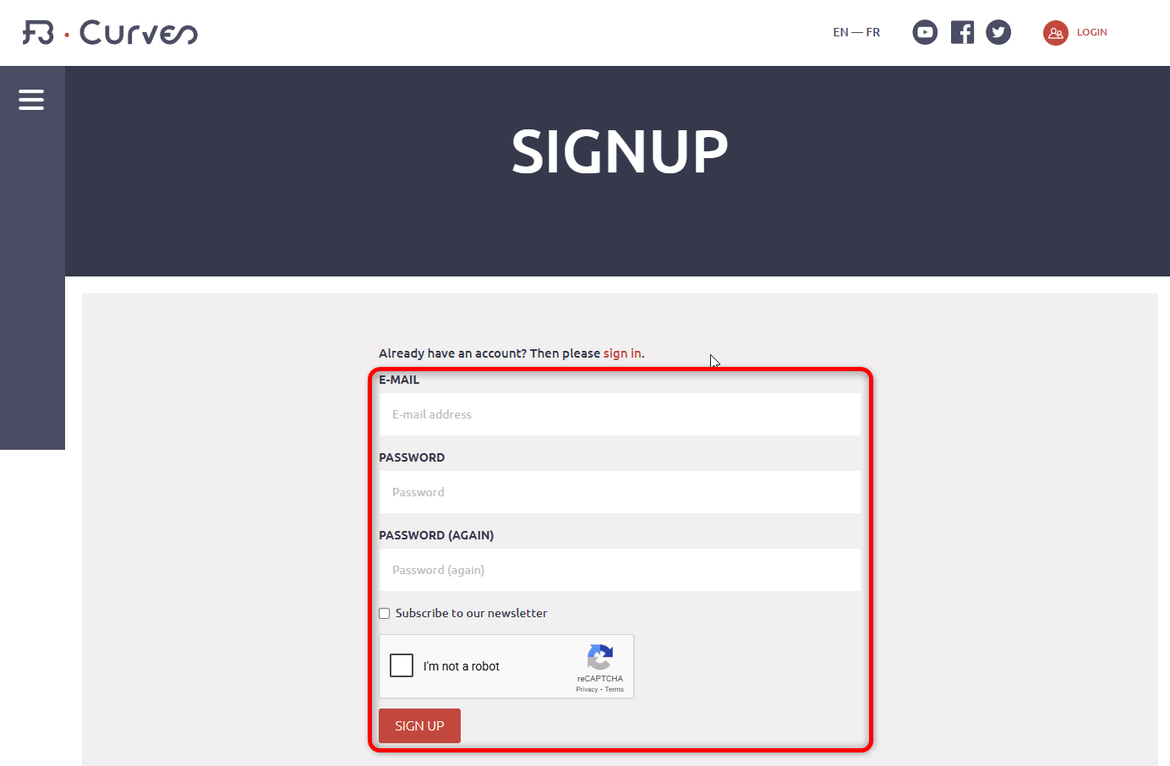
3- Fill all fields:
4-Go to the page "Men App"
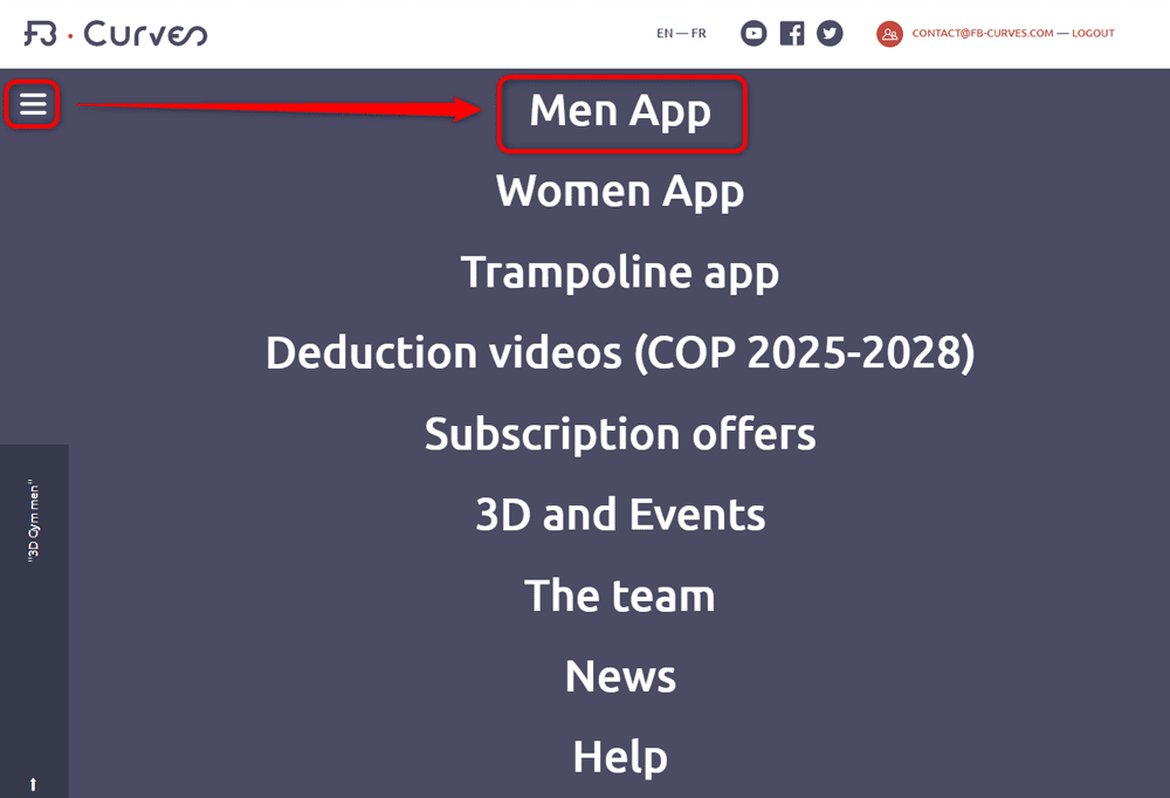
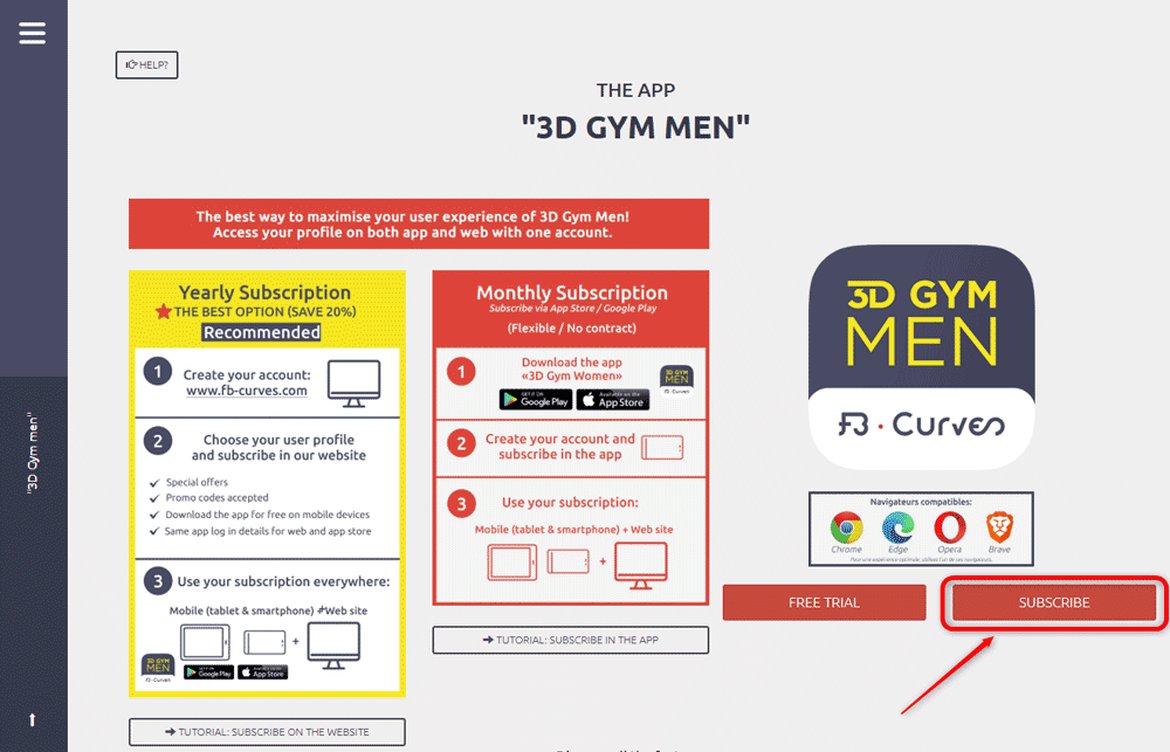
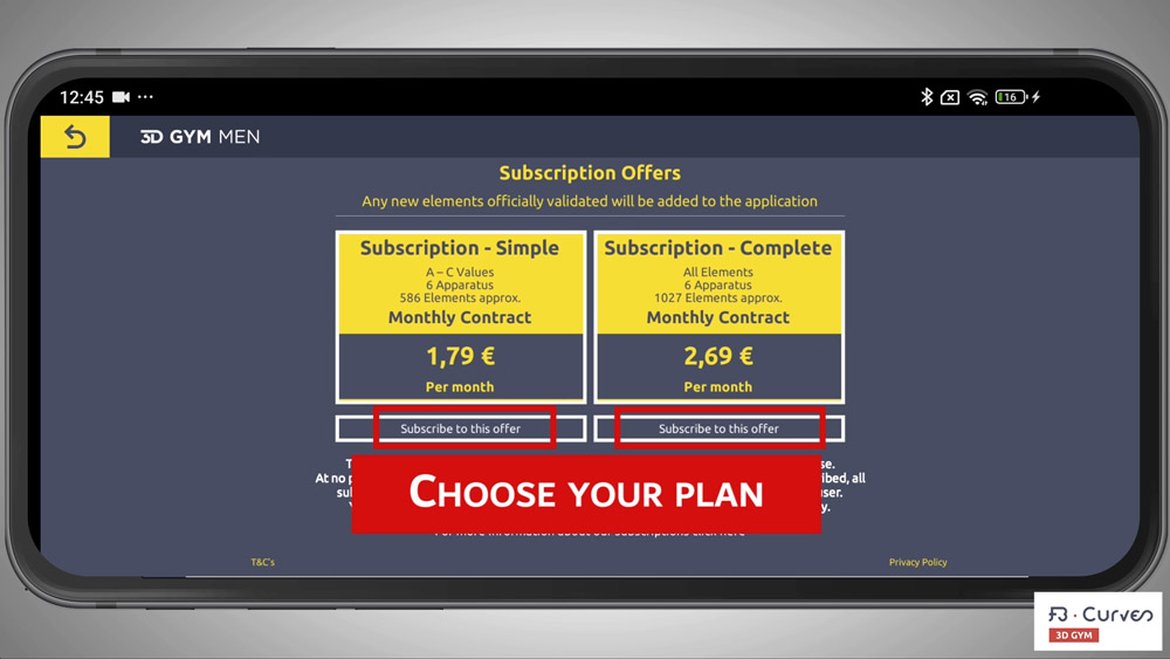
3- Click "Subscribe" and choose your subscription package:
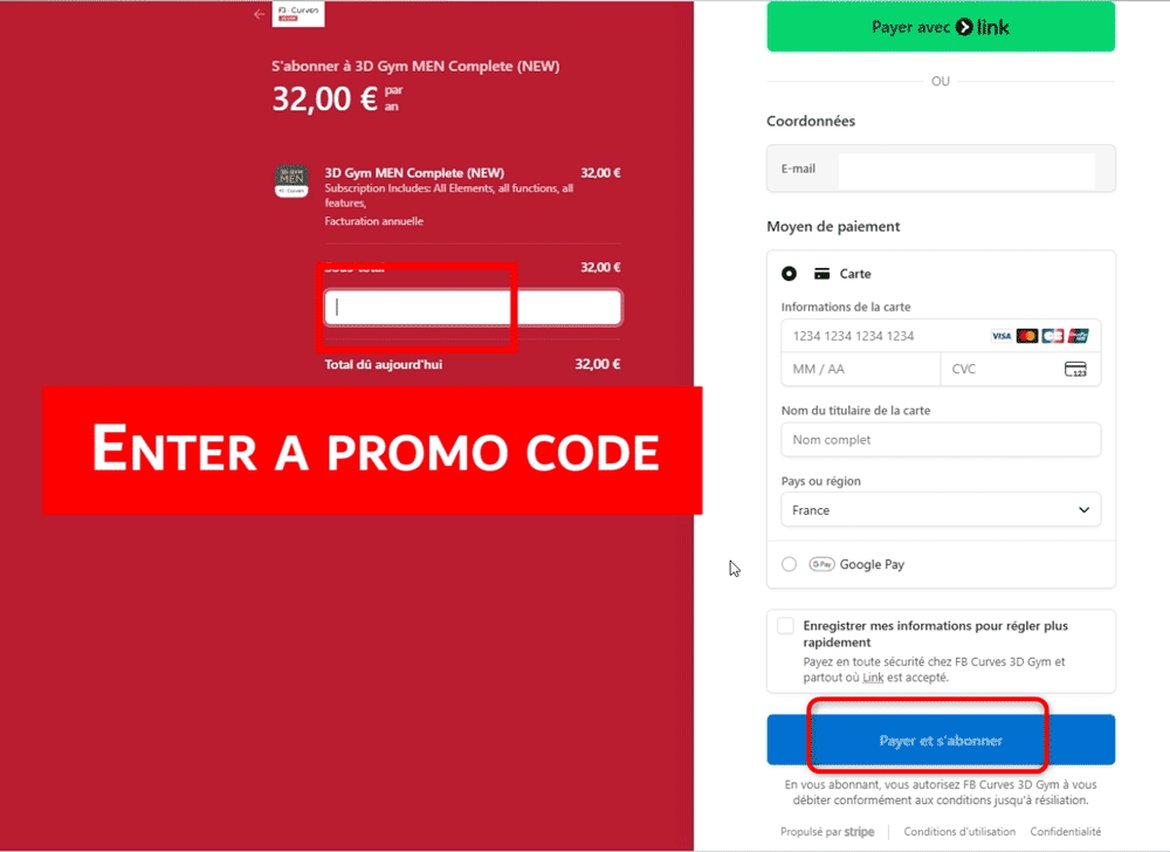
6- Select your subscription and pay via our secure payment system, “Stripe.”
7- Use your subscription on all supports:

Your subscription will automatically renew after one year. You will receive an email one month before the renewal date to notify you, in case you wish to cancel your subscription.
How to unsubscribe on our website
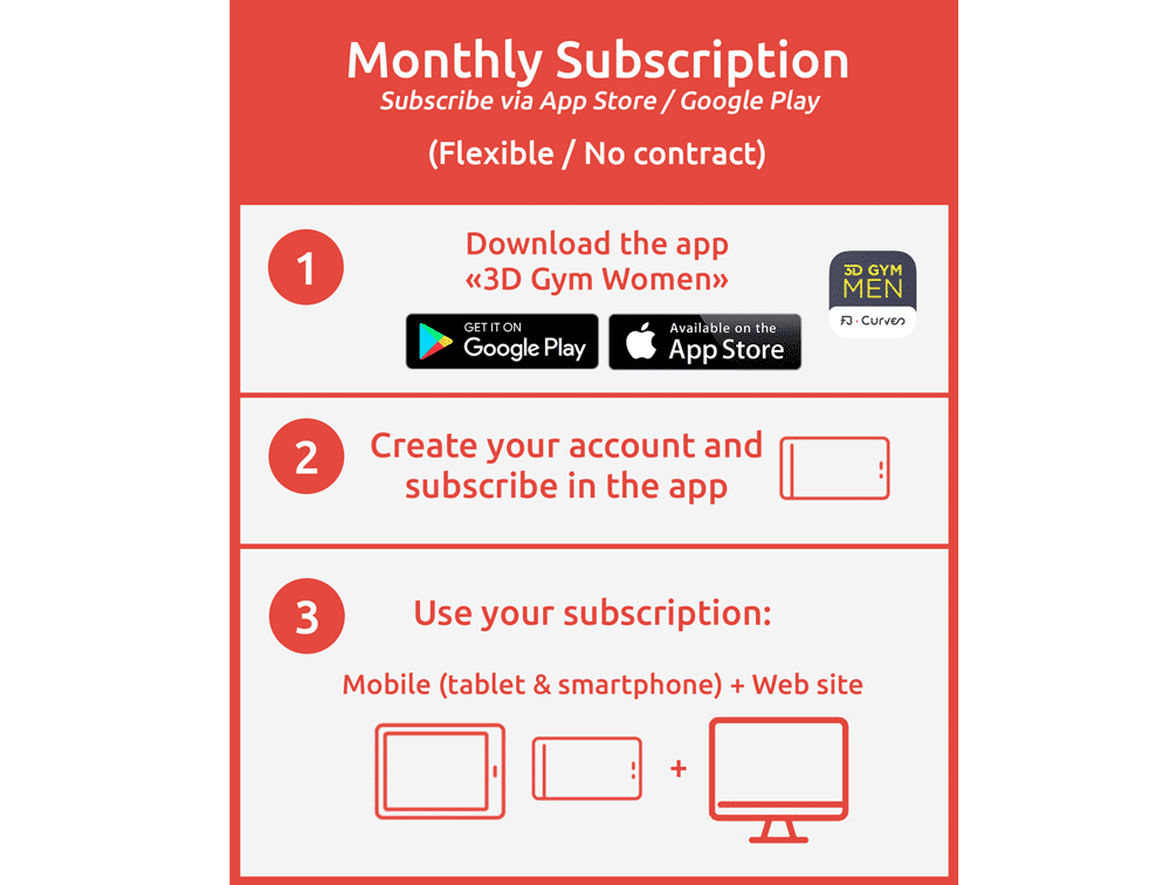
vidEo: subscribe in the app
1- Download the app on GooglePlay or AppleStore

2- Click button "Profile"
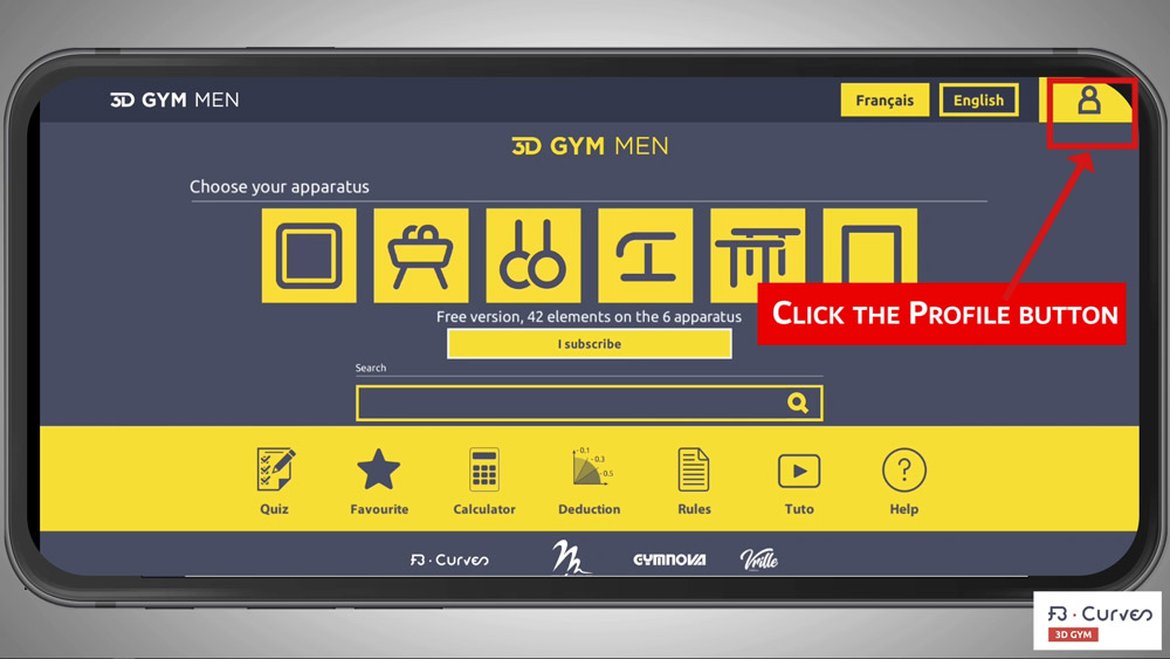
3- Click on "Create an account"
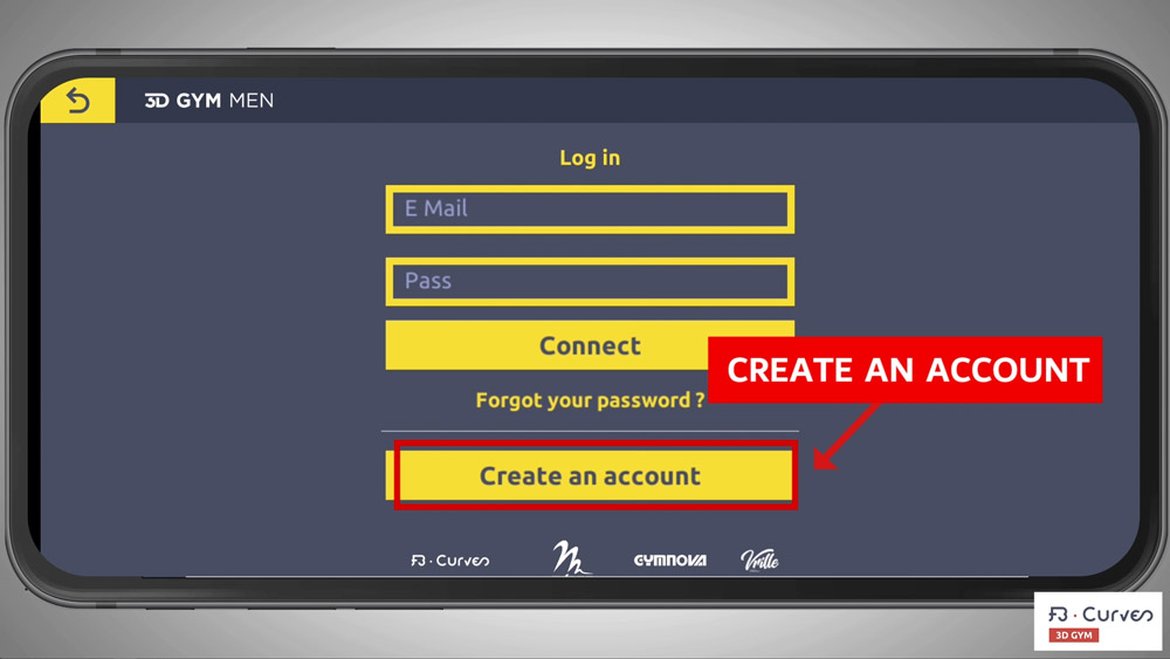
4- Fill all fields:
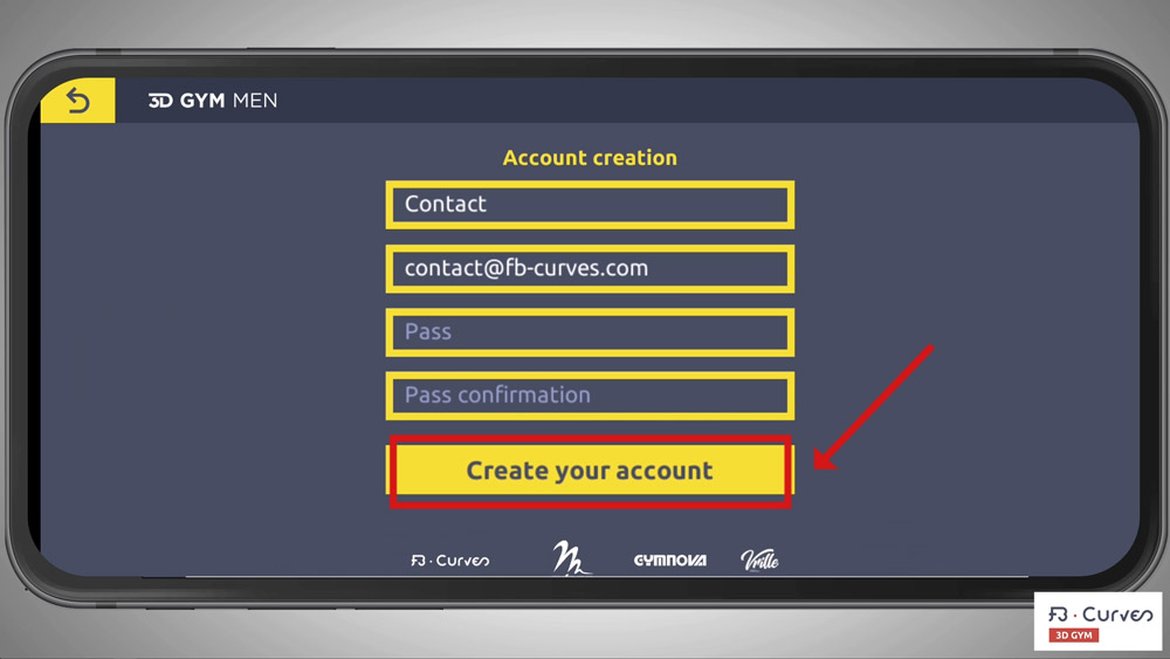
5- Return to home page, click "Subscribe":
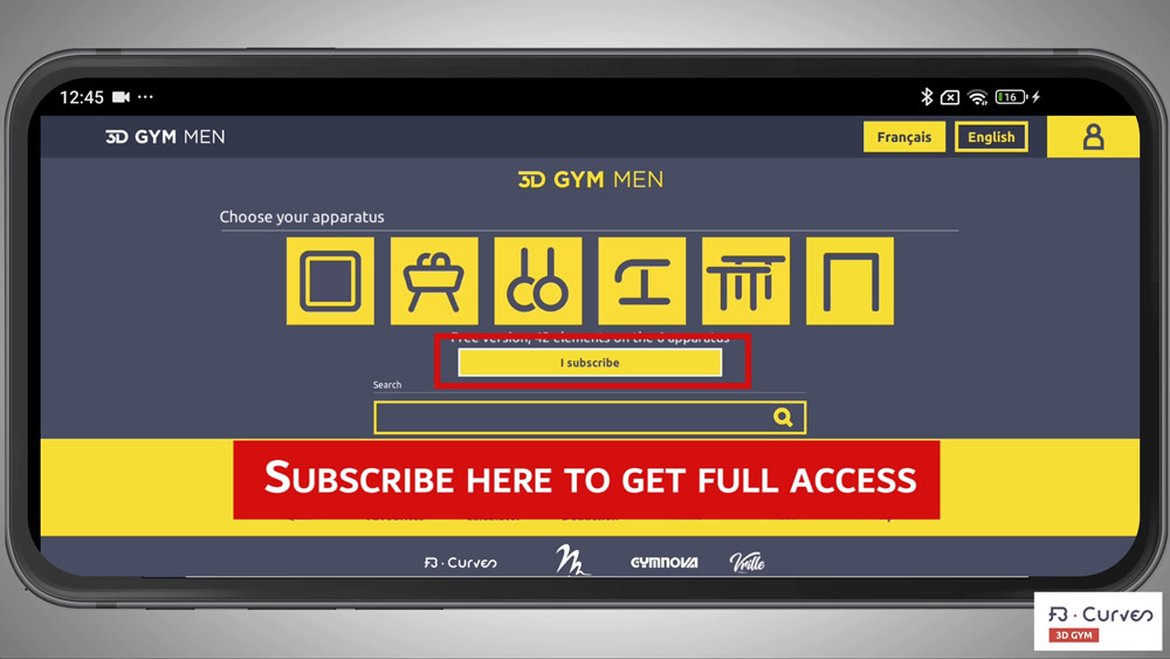
6- Click on the subscription needed:
(payment is made via tour account on Google or Apple)
7- You now have access to your subscription, you can use the app without an internet connection from now: